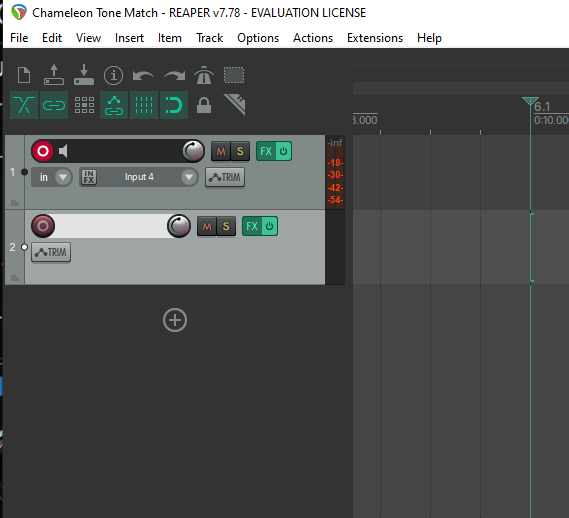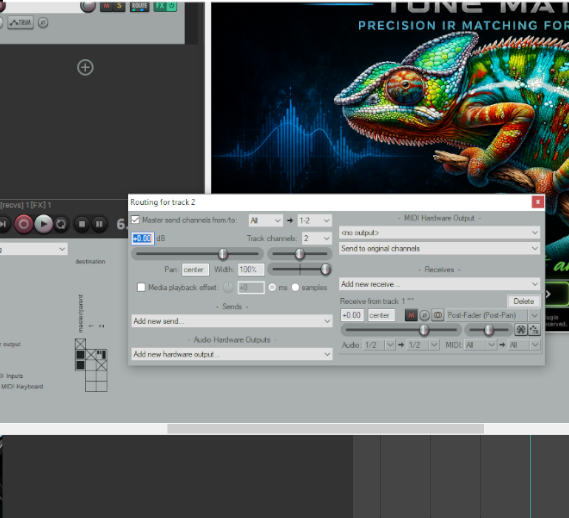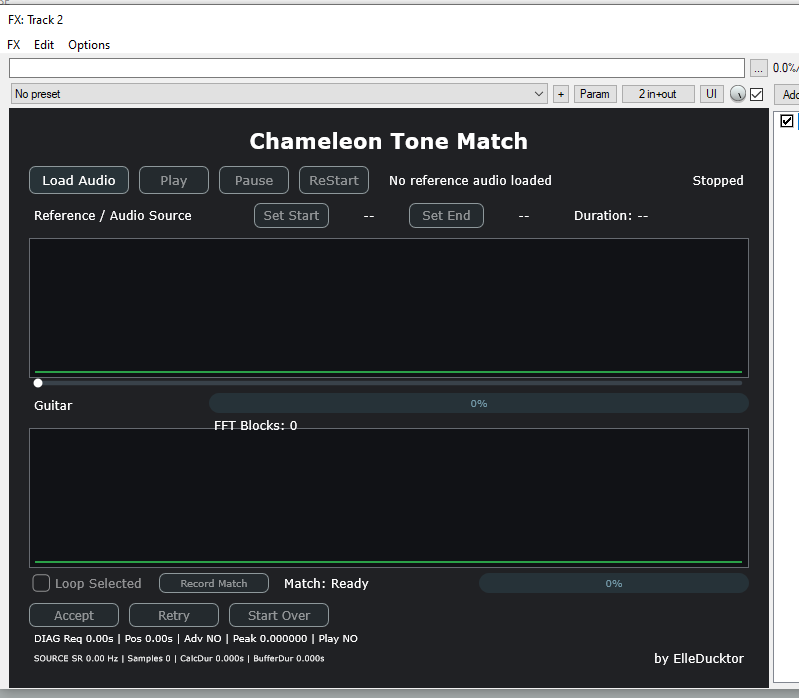
As demonstrated in REAPER, properly setting up your workflow is essential for achieving accurate results. Use the images below as a guide to ensure your signal routing and processing chain are configured correctly.
For my setup, I use the Four-Cable Method (4CM). To capture your amplifier’s tone, disconnect the return cable coming from your modeler (such as the Helix) and connect it directly to an input on your audio interface. This allows Chameleon Tone Match to capture and analyze the tone coming from your amplifier ” amplifiers FX loop ” and create an accurate match specifically for your setup.
If you are using only a Helix or another modeler, you will need to route its output directly into REAPER, as shown below.
Regardless of which method you use, proper routing is essential. If the signal is not routed correctly, Chameleon Tone Match will not receive an accurate representation of your tone, and the resulting capture will not produce the desired results.
Once the matching process is complete, Chameleon Tone Match produces a polished, ready-to-use Tone-Matched Impulse Response, designed to capture the tonal characteristics of your favorite bands and guitarists.